Safety Track on DJI mics: which models have it, and what the Mic 3 has instead
Safety Track records your voice twice, the copy 6 dB quieter, so a shout doesn't ruin the take. The Mic Mini family and the Mic 2 have it. The Mic 3 doesn't, and its replacement is better.
What Safety Track is
Safety Track is a channel mode on several DJI wireless mics. The receiver outputs your voice twice: once at the normal level and once 6 dB quieter on the other channel. If a laugh or a shout clips the main track, the quieter copy probably didn’t, and you swap it in during the edit.
DJI calls the mode Ms, for mono with Safety Track. On the DJI Mic 2, the manual describes it as the right channel’s output gain being 6 dB lower than the left’s.
Which DJI mics have it
| Mic | Safety Track | How |
|---|---|---|
| DJI Mic 2 | Yes | Ms mode |
| DJI Mic Mini | Yes | Ms mode |
| DJI Mic Mini 2 | Yes | Ms mode |
| DJI Mic Mini 2S | Yes | In Mono mode, turned on in DJI Mimo |
| DJI Mic Series Mobile Receiver | Yes | Ms mode |
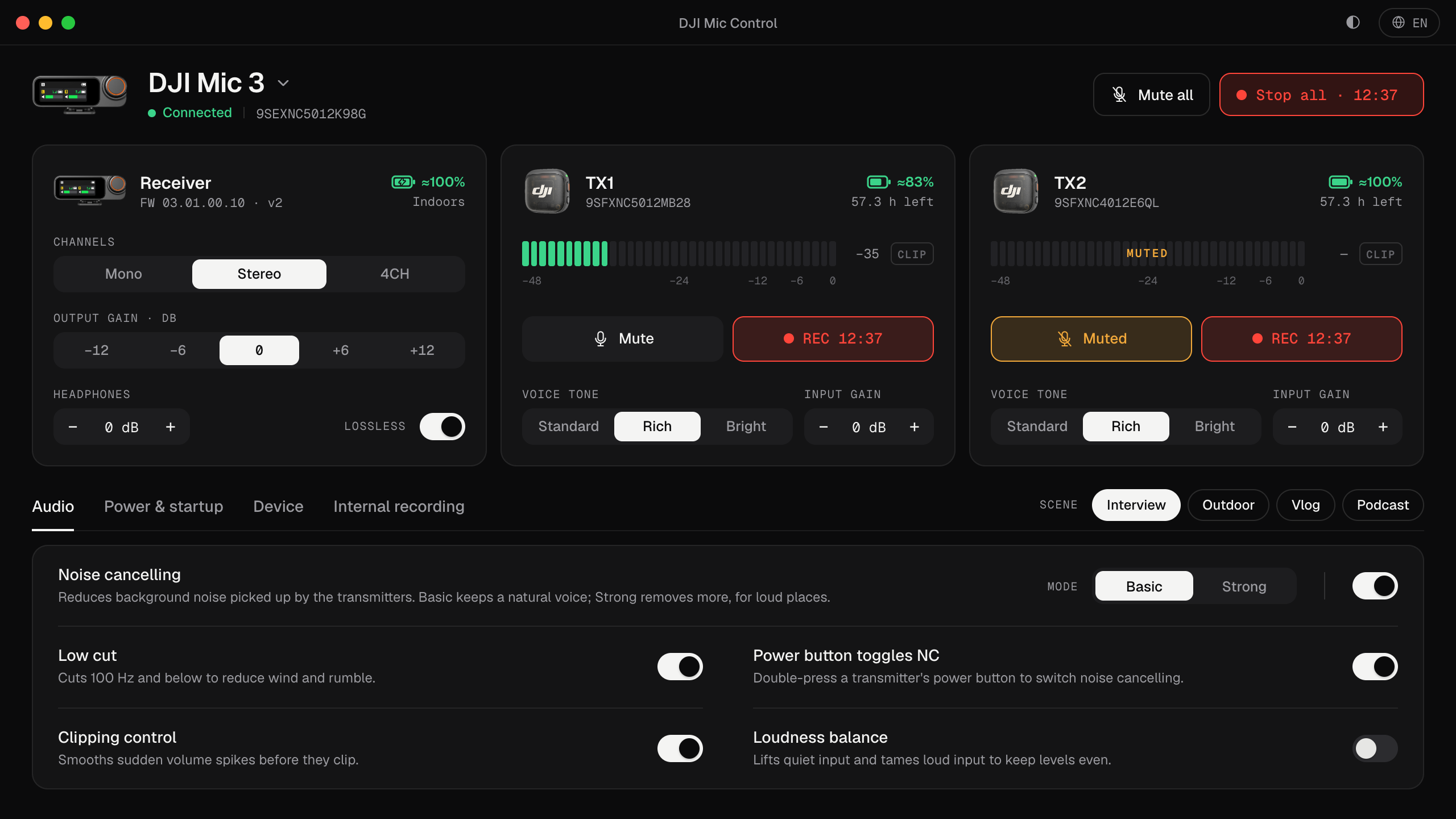
| DJI Mic 3 | No | Its channel modes are only Mono, Stereo and Quadraphonic (4CH) |
Why it needs Mono
Safety Track uses the second channel for the backup copy. That channel is then busy, so it can’t carry a second person too: Safety Track only works with one voice on two channels, with the receiver in Mono. In Mic Control, if you try to turn it on in Stereo, the app asks you to switch Channels to Mono first.
What the DJI Mic 3 has instead
The Mic 3 doesn’t offer Safety Track. Its safety net is 32-bit float internal recording: each transmitter records its own copy with far more headroom than any −6 dB backup, so even a clip that would hit both channels of a Safety Track recording is still recoverable.
The trade-off is where the backup lives:
- Safety Track is in the same file your computer or camera records. Nothing to copy later.
- 32-bit float is inside the transmitter. You copy it to the computer afterwards and line it up; see transferring the recordings and 32-bit float on the DJI Mic 3.
Using a Safety Track recording
- Record with the receiver in Mono and Safety Track on. The file is stereo: the main voice on one side, the −6 dB copy on the other.
- In your editor, split the stereo clip into two mono tracks (the steps for Premiere, Resolve and Audacity are in mono, stereo or 4CH).
- Use the main track. Where it clipped, cut to the backup track and raise it by 6 dB.
- Don’t leave both tracks playing: you’d hear the same voice twice.
Turning it on
- On the receiver or in DJI Mimo, as DJI describes for each model.
- From the computer, in Mic Control, on the Mic Mini, Mic Mini 2S and Mobile Receiver: the Safety Track switch, with Channels set to Mono. These models aren’t tested in this version of Mic Control: see DJI Mic Mini on your computer.
To keep levels from clipping in the first place, start with how to stop the DJI Mic 3 clipping.
Turn it on from your computer
- 01
Set Channels to Mono
Safety Track uses the second channel, so it needs one voice in mono.
- 02
Turn on Safety Track
On the Mic Mini, Mini 2S or Mobile Receiver, in Mic Control's settings.
- 03
Split the tracks in the edit
Main voice on one side, the −6 dB copy on the other.
What you'll be able to do
- Turn Safety Track on or off on the Mic Mini family.
- Switch the receiver between mono and stereo.
- On the Mic 3, turn on 32-bit float internal recording instead.
FAQ
Does the DJI Mic 3 have Safety Track?
No. Its channel modes are Mono, Stereo and 4CH. Its backup is 32-bit float internal recording.
Why can't I use Safety Track in stereo?
Because it uses the second channel for the backup copy. With the receiver in Mono, Mic Control lets you turn it on.
How much quieter is the backup?
6 dB, according to DJI.
Which DJI mics have it?
The Mic 2, Mic Mini, Mic Mini 2, Mic Mini 2S and the Mobile Receiver.