How to update the DJI Mic 3 firmware
The Mic 3 is updated from DJI Mimo on a phone, not from a computer. Here are the steps, the versions DJI has released and what changed, and the one DJI mic you can update from a computer.
The short answer
The DJI Mic 3 is updated with DJI Mimo on a phone. DJI doesn’t offer a way to update it from a computer: the Mic 3’s downloads page has manuals and release notes, but no firmware files. Mic Control doesn’t touch the firmware either; it only changes settings.
How to update a DJI Mic 3
According to DJI:
- Connect the receiver to DJI Mimo on your phone, through the USB-C or Lightning adapter, or wirelessly as described in the manual.
- Update the receiver from DJI Mimo.
- Put the receiver back in the charging case with the transmitters: from there it can also update the firmware of the transmitters and of the case.
- Without the case, update each device separately in DJI Mimo: a transmitter can also connect to the app on its own.
Charge everything before you start, and don’t disconnect anything in the middle of an update.
Which version do you have, and which is the latest?
DJI publishes the Mic 3’s release notes as a PDF on its downloads page. The versions so far:
| Version | Date | What DJI lists |
|---|---|---|
| V03.01.00.10 | 28 Oct 2026 | Support for connecting to the HUAWEI AI Life app |
| V02.00.10.00 | 10 Mar 2026 | — |
| V02.00.08.10 | 26 Dec 2025 | Improved stability when copying files to Mac computers |
| V02.00.07.00 | 28 Aug 2025 | — |
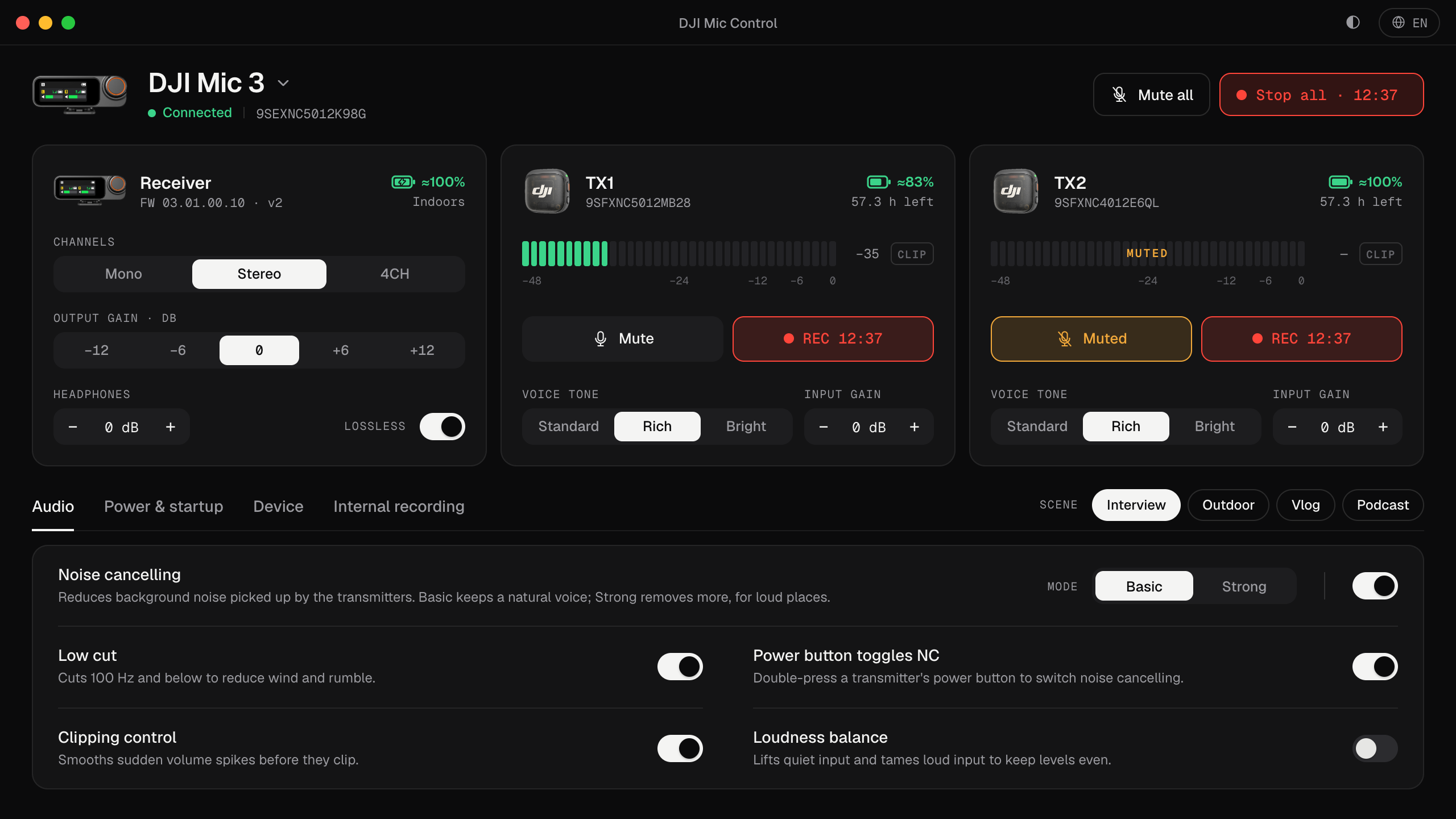
Mic Control is tested with V03.01.00.10, the latest at the time of writing. It shows the receiver’s and the transmitters’ firmware versions on screen, so you can check yours without the phone.
Do you need to update?
If everything works, there’s no hurry. Update when DJI’s release notes fix something you’re hitting (copying files to a Mac, for example), or when an app or accessory needs a newer version. If Mic Control stops working after an update, tell us on GitHub with the version number.
Other DJI mics
- DJI Mic Mini, Mini 2 and Mini 2S: also from DJI Mimo on a phone. The receiver connects through its adapter (the Mini 2S also by Bluetooth); transmitters can update over Bluetooth. With an iPhone, DJI says the Mic Mini’s firmware updates are Bluetooth only.
- DJI Mic Series Mobile Receiver: in DJI Mimo’s Wireless Microphone screen, tap the firmware version to update. In blue-light mode (Mic 2 or Mic 3 transmitters), each transmitter is updated separately.
- DJI Mic 2: the exception. DJI lets you update it from a computer: download the firmware package (a
.binfile) and put it in the root folder of the device when it’s connected. See DJI Mic 2 on a computer.
Why Mic Control doesn’t update firmware
Firmware updates rewrite the device’s software, and a failed one can leave it unusable. DJI’s own app is the safe route for that. Mic Control is deliberately limited to the settings the receiver and DJI Mimo already let you change, and it never sends anything that rewrites or formats the device. More on what it does and doesn’t do in the DJI Mimo alternative.
Check your version from your computer
- 01
Plug in the receiver
And open Mic Control.
- 02
Read the firmware versions
The receiver's and each transmitter's are shown on their cards.
- 03
Update in DJI Mimo if needed
Following DJI's steps above.
What you'll be able to do
- See the receiver's and transmitters' firmware versions.
- Use the mic as usual while DJI Mimo handles updates.
- Report problems with a specific firmware on GitHub.
FAQ
Can I update the DJI Mic 3 from a computer?
No. DJI updates it through DJI Mimo on a phone; its downloads page has no firmware files.
What's the latest version?
V03.01.00.10, from 28 October 2026, according to DJI's release notes. Mic Control is tested with it.
Does Mic Control update the firmware?
No. It never touches the firmware, only settings.
Which DJI mic can be updated from a computer?
The DJI Mic 2: DJI lets you copy the firmware file to the device's root folder. See DJI Mic 2 on a computer.