32-bit float on the DJI Mic 3: what it is and when to use it
It's your insurance against clipping. The transmitters record with so much headroom that a shout doesn't ruin the take. The trade-off: less recording time.
What 32-bit float is
A normal 24-bit recording has a hard ceiling: anything louder is cut off, and that’s clipping. A 32-bit float file stores the audio in a way that keeps an enormous dynamic range, including peaks that would go above that ceiling. In practice, a shout or a laugh that would have clipped is still there, intact, and you bring the level down in the edit.
It isn’t magic: the mic still has to be set sensibly, and a very quiet recording raised a lot will still bring up noise. But it removes the biggest risk of recording speech without a sound engineer, which is a clipped take you can’t repeat.
Where it applies on the DJI Mic 3
Only to the internal recording inside each transmitter. The Mic 3’s transmitters can record on their own, as a backup of what goes to the receiver or with no receiver at all, and that internal file can be 32-bit float.
It doesn’t change the audio the receiver sends to the computer over USB, or through the 3.5 mm output. That path is separate, and the computer’s recording can still clip if the gain is too high. Think of 32-bit float as the backup with headroom, not as a replacement for setting the gain.
What it costs
Recording time. According to DJI’s specifications, a Mic 3 transmitter holds:
| Format | Single file | Dual file |
|---|---|---|
| 24-bit | 57.3 h | 28.6 h |
| 32-bit float | 43.0 h | 21.5 h |
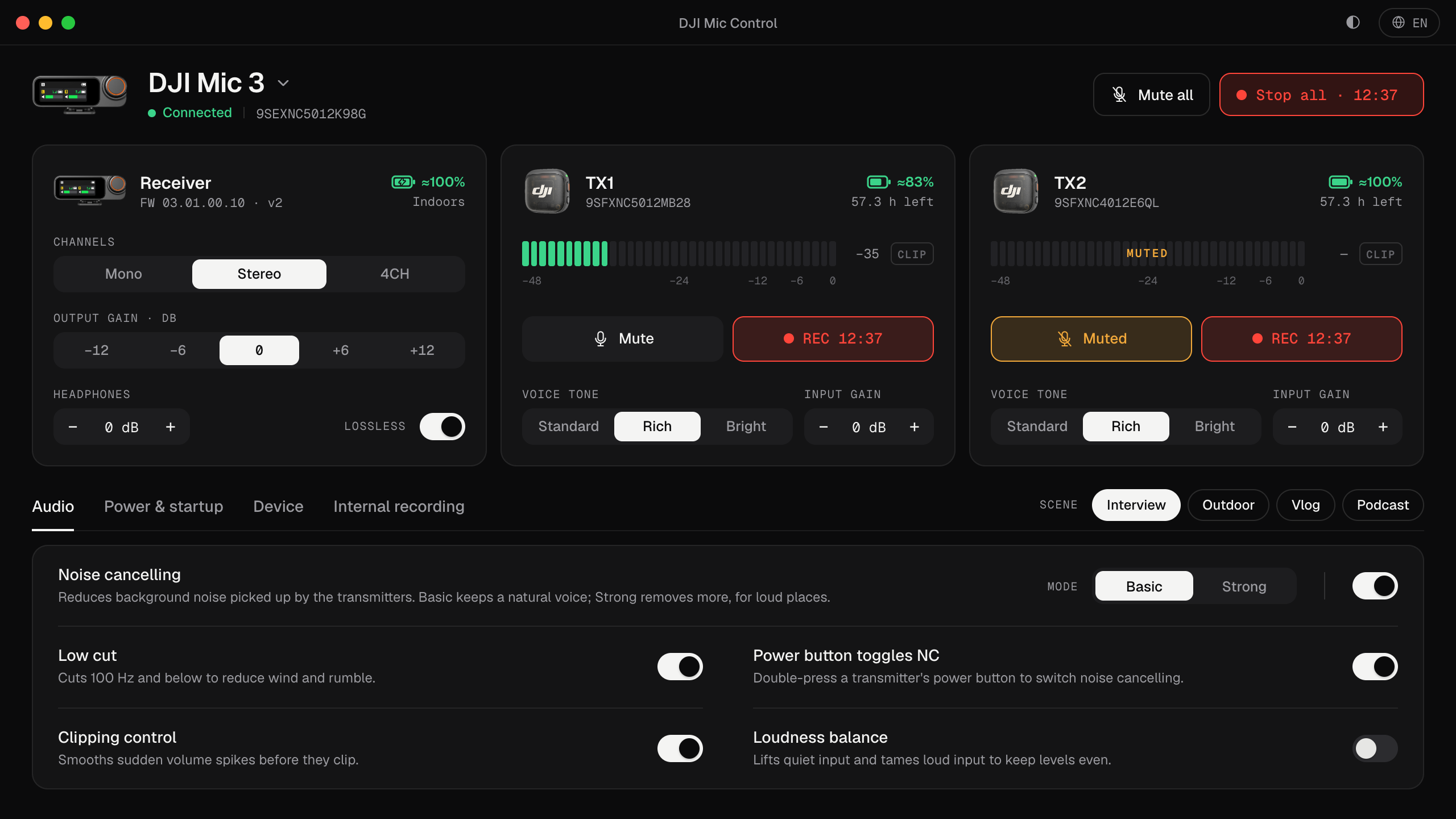
Mic Control shows the recording time left on each transmitter, so you know where you stand.
How to turn it on from your computer
- Plug in the receiver and open Mic Control.
- Go to the Internal recording tab and turn on 32-bit float. It applies to all the transmitters at once.
- Start the internal recording with Record all (or the Record button on each transmitter’s card). A timer shows how long you’ve been recording.
The Podcast scene turns 32-bit float on for you, together with stereo and lossless audio. Other internal recording options sit in the same tab: loop recording, record on power-on, low-battery auto record and the transmitter’s REC button. They’re all explained in every DJI Mic 3 setting.
Timestamps
When you connect a Mic 3 receiver, Mic Control sets the transmitters’ clock to the computer’s. The internal files come out with the right date and time, which makes it much easier to line them up with the computer’s recording or the camera’s.
Using the files
Copy the recordings from the transmitters to your computer and open them in your editor; most audio and video editors handle 32-bit float WAV. According to DJI, the transmitters can keep an Original file, with the raw audio, and an Edited file, with noise cancelling, low cut and voice tone applied.
To recover a moment that clipped on the computer:
- Put the internal file on a track under the main recording and line them up.
- Lower the internal file’s level until the peak sits below 0 dB: it’s not clipped, it was just above the ceiling.
- Use that section instead of the clipped one.
When to turn it on
- Interviews and podcasts you can’t repeat.
- Unpredictable voices: laughter, shouting, sport, events.
- Recording without a receiver, with the transmitters on their own.
When you’d rather have more hours, for example recording all day with loop recording, leave it off. More on avoiding clipping in the first place in how to stop the DJI Mic 3 clipping.
Turn it on in three steps
- 01
Open Internal recording
In Mic Control, the Internal recording tab.
- 02
Turn on 32-bit float
According to DJI, recording time drops from about 57 h to 43 h. The app shows the hours left on each transmitter.
- 03
Record
With Record all, each transmitter keeps its copy. In the edit, bring the level up or down without losing quality.
What you'll be able to do
- Turn 32-bit float on or off for every transmitter at once.
- Start internal recording on every transmitter with one click, with a timer.
- See the recording time left on each transmitter.
FAQ
Does the Mic 3 have Safety Track?
No. Its channel modes are Mono, Stereo and 4CH. Its safety net is 32-bit float internal recording. More in Safety Track.
Is the USB audio to the computer 32-bit too?
No. This applies to the transmitters' internal recording. USB audio is separate.